Hardware Requirements
Table 1 specifies the hardware requirements to achieve the performance depicted in the labs.
Components |
P4-DPDK |
|---|---|
CPU |
3 cores |
Memory |
8 GB |
Hard Disk |
15 GB |
Warning
You can reduce the hardware requirements in order to run the VM on your own computer. However, the performance might be compromised.
Installation
The following steps show how to install P4-DPDK on Oracle Virtual Box 7.0.
Step 1. Download and install Oracle Virtual Box 7.0.
Step 2. Download the .ova file P4-DPDK_H2_POD to be installed. In this example, P4-DPDK VM is installed.
Step 3. Open Oracle Virtual Box 7.0.
Step 4. Click on File -> Import Appliance
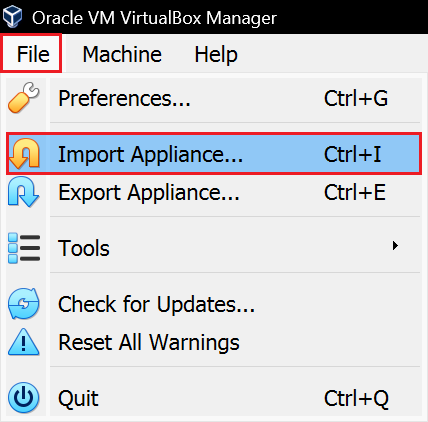
Figure 1: Import Appliance.
Step 5. Browse to the folder that contains the .ova file.
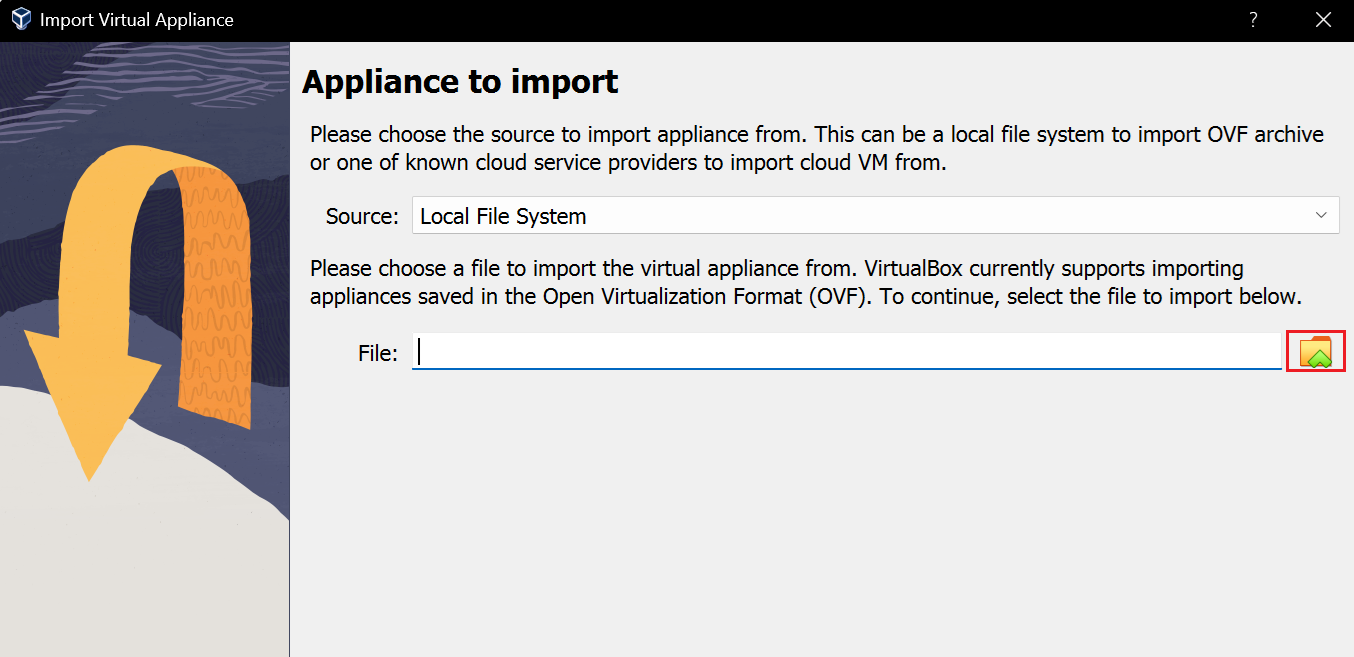
Figure 2: Selection of .ova file.
Step 6. Select the destination folder and click on Import. Wait until it finishes. This process takes about 5 minutes.
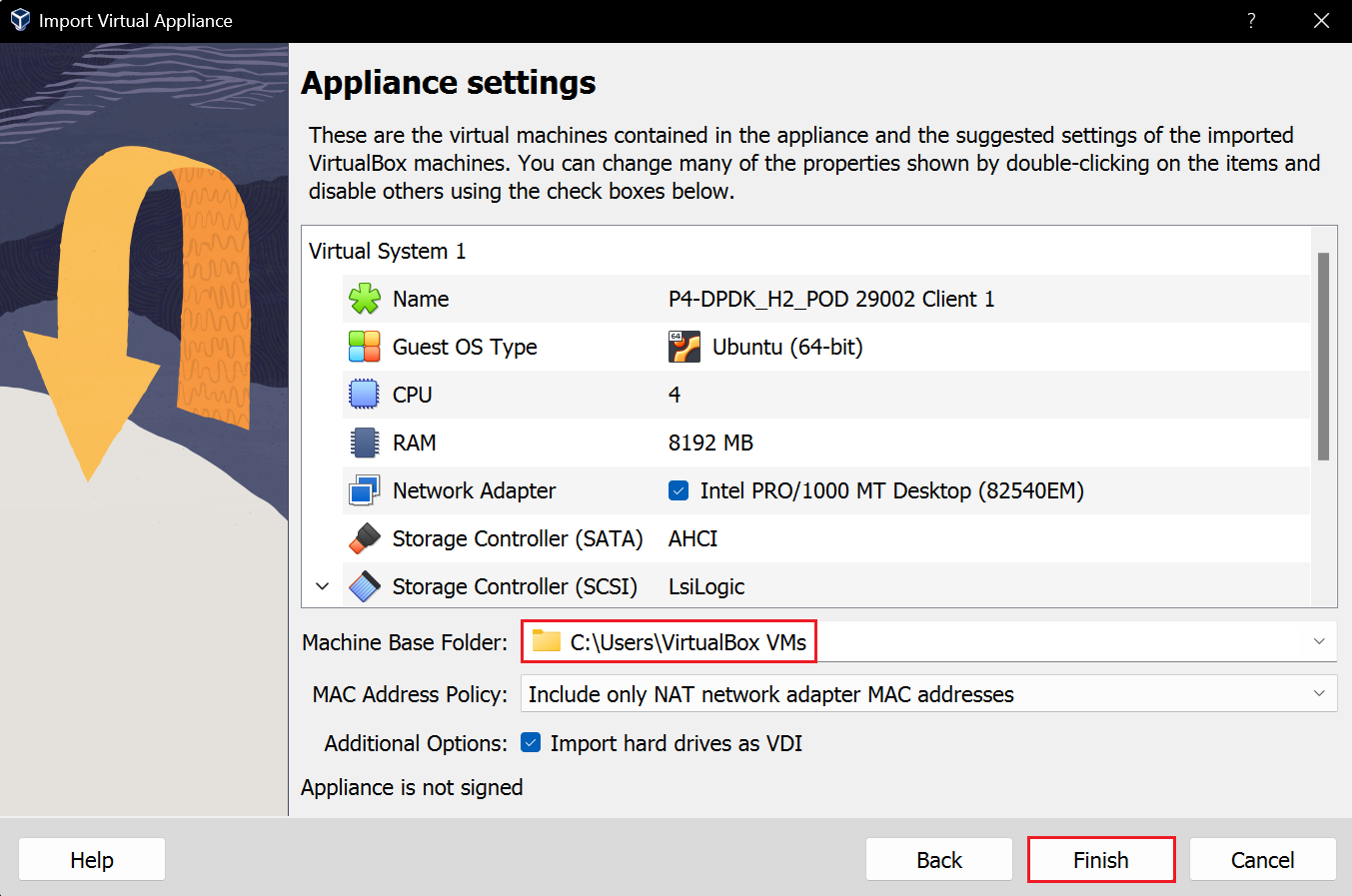
Figure 3: Appliance settings.
Step 7. Start the virtual machine by clicking on Start.
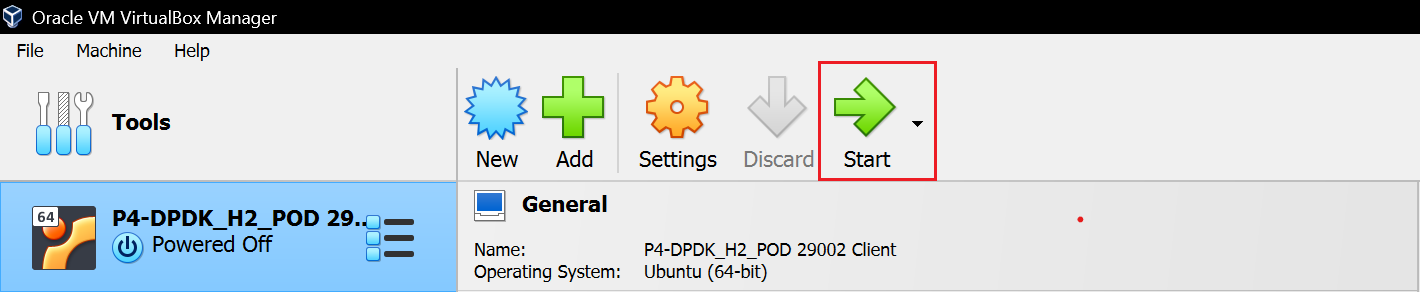
Figure 3: Start the virtual machine.
This concludes the installation guide.